Starting an online business has never been easier—or more competitive. Every day, thousands of entrepreneurs launch new ventures. E-commerce stores, digital services, consulting practices, SaaS products, content businesses. The barriers to entry are lower than ever.
But here’s the paradox: while it’s easy to start, it’s incredibly hard to succeed. Most online businesses fail within their first year, not because their idea was bad, but because they skipped critical foundation steps in their rush to launch.
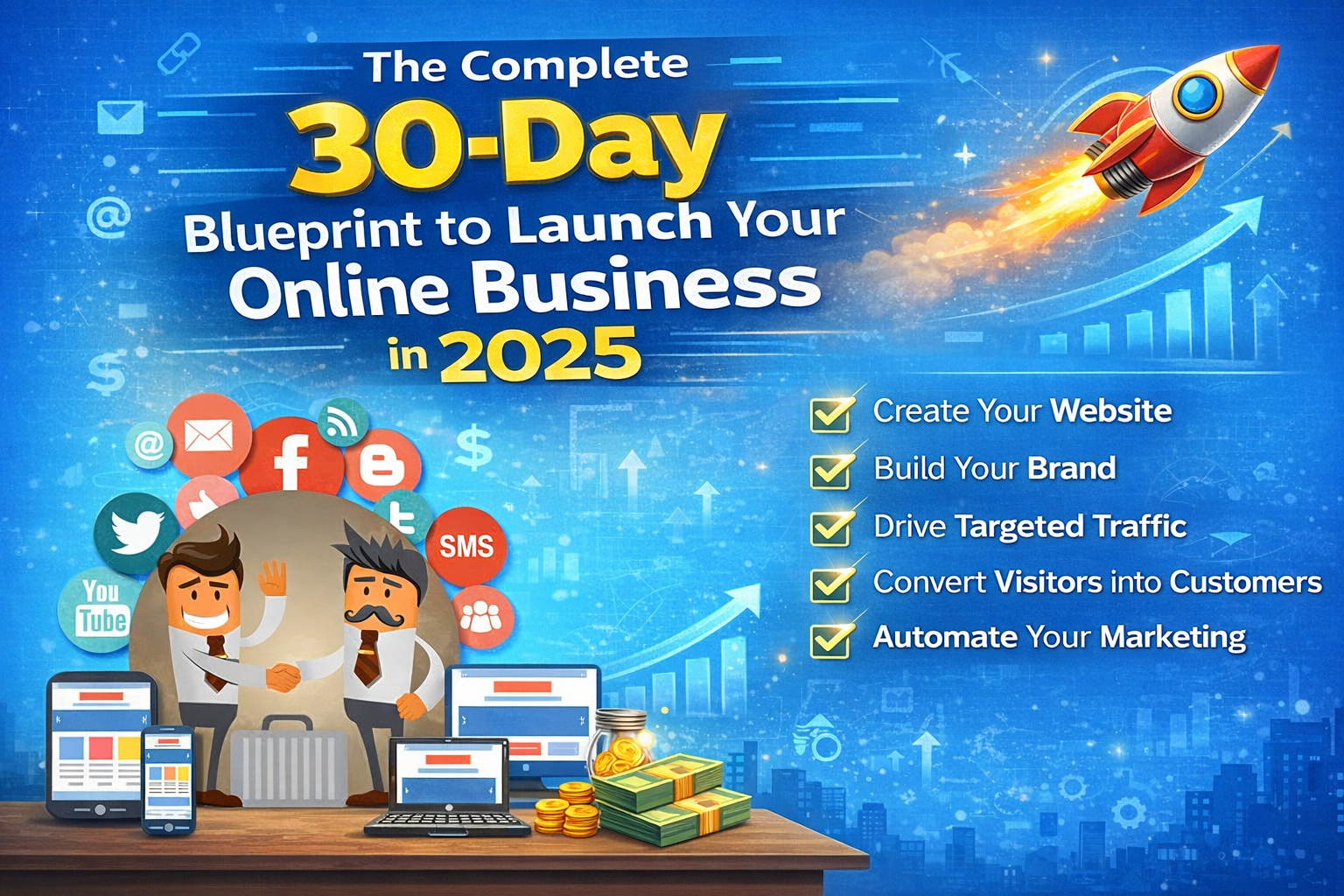
This blueprint walks you through everything you need to launch a professional online business in 30 days—from idea validation to your first customer. No fluff, no theory, just the exact steps that separate successful online businesses from the 90% that fail.
Days 1-5: Validation and Business Model
Before you build anything, validate demand. Too many entrepreneurs spend months creating products nobody wants.
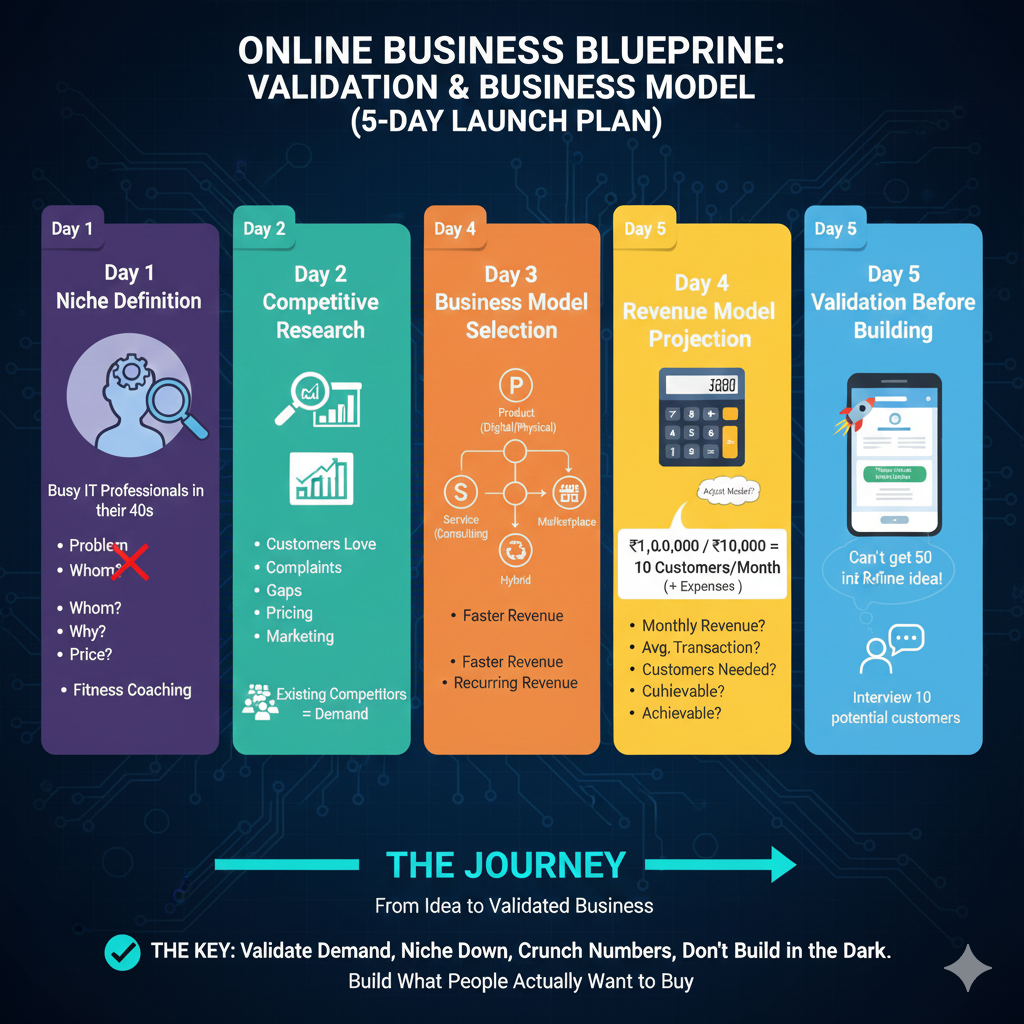
Day 1: Niche Definition
Don’t try to serve everyone. Identify your specific target audience:
- What problem are you solving?
- For whom specifically?
- Why can’t existing solutions solve it?
- How much will they pay for a solution?
Example: Don’t launch “fitness coaching.” Launch “pre-diabetes reversal coaching for busy IT professionals in their 40s.” Specific always beats generic.
Day 2: Competitive Research
Who else serves your niche? This is good news, not bad—existing competitors prove there’s demand. Study them:
- What do their customers love?
- What complaints appear in reviews?
- What gaps can you fill?
- How do they price?
- Where do they market?
Day 3: Business Model Selection
Choose how you’ll make money:
- Product: Physical goods, digital products (highest effort, scalable)
- Service: Consulting, done-for-you (faster revenue, limited scale)
- Subscription: SaaS, memberships (recurring revenue, predictable)
- Marketplace: Connect buyers and sellers (high scale, challenging start)
- Hybrid: Combine multiple models
Most successful online businesses use hybrid models: consulting while building a product, or products with add-on services.
Day 4: Revenue Projection
Get real about numbers:
- How much revenue do you need monthly?
- What’s your average transaction value?
- How many customers/sales does that require?
- Is that volume achievable in your niche?
If you need ₹1,00,000/month profit and your service costs ₹10,000, you need 10 customers/month plus expenses. Is acquiring 10 customers realistic? If not, adjust your model.
Day 5: Validation Before Building
Test demand before investing months of development:
- Create a landing page describing your offer
- Run small ads to your target audience
- See if people click “Notify Me When Available”
- Interview 10 potential customers
If you can’t get 50 interested people before building anything, your idea needs refinement.
Days 6-10: Brand Identity and Digital Foundation
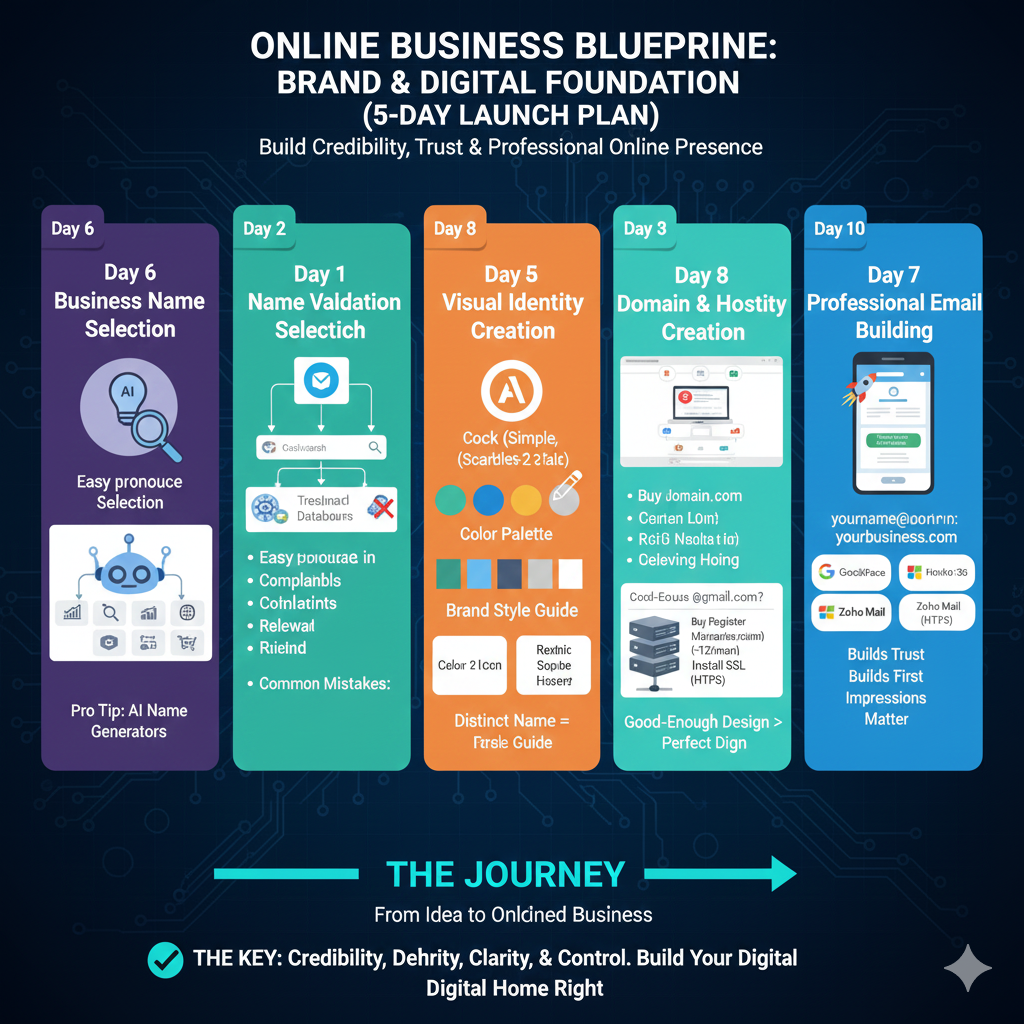
Now that demand is validated, build your brand foundation.
Day 6: Business Name Selection
Your business name is your identity for years. Choose carefully:
- Easy to pronounce and spell
- Memorable and distinct
- Relevant to what you do
- Available as domain and social handles
Common mistakes: Names that are too generic (“Best Services”), too long (“TheUltimateSolutionForYourNeedsInc”), or too similar to existing brands.
When brainstorming, generate multiple options. Modern tools can help you explore creative combinations you might not think of—AI-powered generators can suggest variations based on your industry and style preferences. The goal is a shortlist of 5-10 strong candidates.
Day 7: Name Validation
Before falling in love with a name, verify uniqueness. The worst scenario is investing months building a brand, only to discover another business using a confusingly similar name in your niche.
Check:
- Domain availability (.com, .in, .co)
- Social media handles (Instagram, Facebook, LinkedIn, Twitter)
- Google search results (are competitors using similar names?)
- Trademark databases (government trademark search)
You want a name that’s truly distinct. Having three other businesses with names 2 letters different creates customer confusion and SEO competition. Verify you’re not stepping on anyone’s established territory before committing.
Day 8: Visual Identity Creation
You need a professional look:
- Logo (simple, scalable, memorable)
- Color palette (2-3 colors maximum)
- Typography (1-2 fonts)
- Brand style guide
Don’t spend ₹50,000 on branding at launch. Start with good-enough design you can refine later. If you’re not a designer, AI-powered tools now let you generate professional logo concepts based on your industry and preferences. The key is consistency—use the same logo, colors, and fonts everywhere.
Day 9: Domain and Hosting Setup
Register your domain immediately—good domains disappear daily.
- Primary domain: yourname.com or yourname.in
- Register common misspellings (redirect to primary)
- Choose reliable hosting (Bluehost, SiteGround, Hostinger)
- Install SSL certificate (HTTPS is mandatory, not optional)
Budget: ₹500-1,500/year for domain, ₹3,000-8,000/year for hosting.
Day 10: Professional Email Setup
Never use yourname@gmail.com for business. It screams amateur.
Get professional email: hello@yourbusiness.com, contact@yourbusiness.com.
Options:
- Google Workspace (₹125-750/user/month)
- Microsoft 365 (₹145-650/user/month)
- Zoho Mail (₹75-320/user/month)
Professional email builds trust and ensures customers take you seriously.
Days 11-15: Website Development
Your website is your digital storefront. It must convert visitors into customers.
Day 11: Website Platform Selection
Choose based on your business type:
- E-commerce: Shopify, WooCommerce, Instamojo
- Service business: WordPress, Webflow, Wix
- SaaS/Marketplace: Custom development or no-code (Bubble)
- Content/Blog: WordPress, Ghost, Medium
For most businesses starting out, WordPress + a good theme is perfect. Flexible, affordable, and you can migrate later if needed.
Day 12: Essential Pages Creation
Minimum viable website needs:
- Homepage: Clear value proposition, social proof, call-to-action
- About: Your story, why you’re qualified, team
- Services/Products: Detailed offerings, pricing (or “Contact for Pricing”)
- Contact: Form, email, phone, social links
- Privacy Policy & Terms: Legally required
Day 13: SEO Foundation
Search engines are free traffic forever. Set up properly from day one:
- Install SEO plugin (Yoast or Rank Math for WordPress)
- Research keywords your customers search
- Optimize page titles and descriptions
- Write alt text for all images
- Create and submit a sitemap to search engines
That last step is critical but often forgotten. A sitemap tells Google, Bing, and other search engines about all your pages so they can index and rank them. Without proper indexing, your site is invisible in search results. Use sitemap generation tools to create XML sitemaps and submit them through Google Search Console and Bing Webmaster Tools.
Day 14: Speed and Mobile Optimization
40% of visitors abandon sites that take over 3 seconds to load. Optimize:
- Compress images (TinyPNG, Squoosh)
- Enable caching
- Use CDN for faster global delivery
- Test mobile responsiveness (mobile is 60%+ of traffic)
Use Google PageSpeed Insights to identify and fix issues.
Day 15: Analytics and Tracking Setup
You can’t improve what you don’t measure:
- Google Analytics 4 (free traffic analytics)
- Google Search Console (SEO performance)
- Facebook Pixel (if using Facebook ads)
- Conversion tracking (forms, purchases, signups)
Set this up before launch so you have baseline data.
Days 16-20: Content and Social Media Setup
Content establishes authority and drives organic traffic.
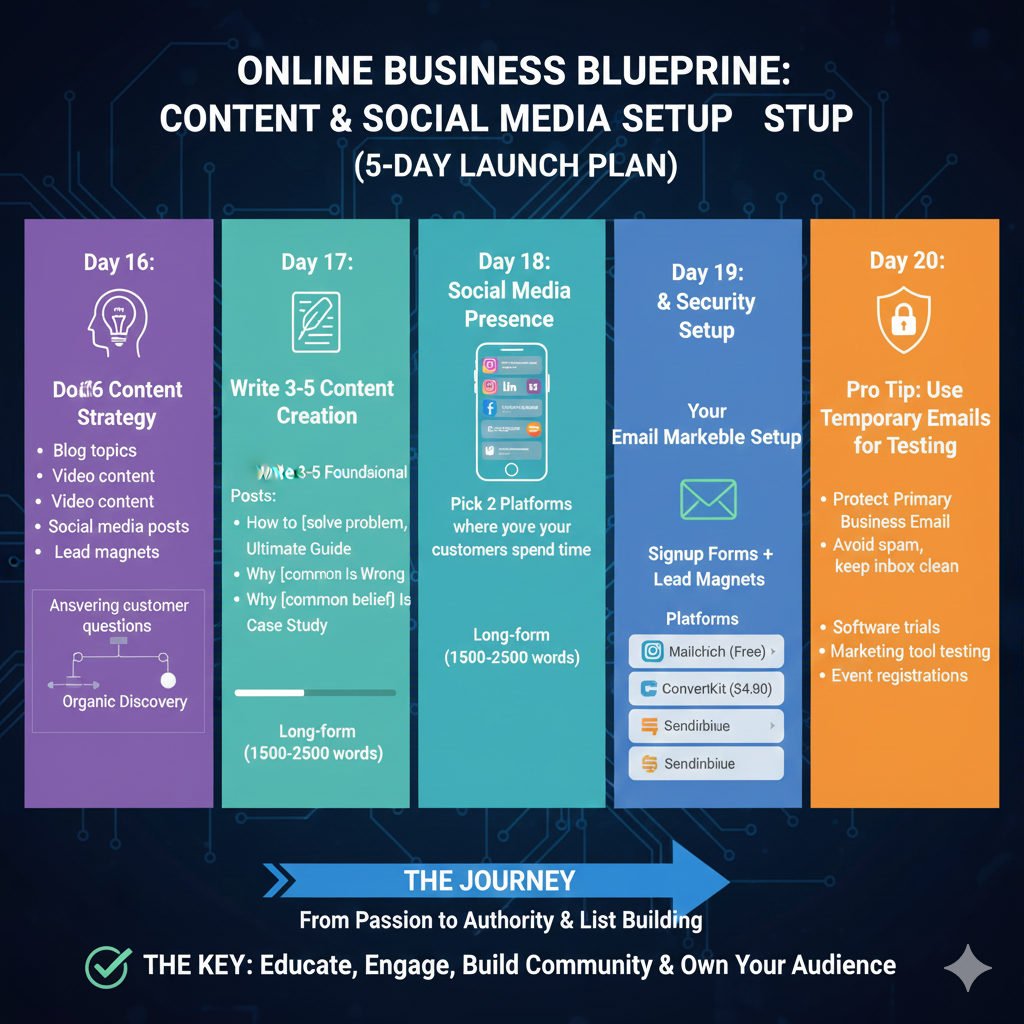
Day 16: Content Strategy
Plan your content:
- Blog topics your customers search for
- Video content (YouTube, Instagram Reels)
- Social media posts
- Lead magnets (free resources in exchange for emails)
Focus on answering the questions your ideal customer is Googling. That’s how you get discovered organically.
Day 17: First Content Creation
Write 3-5 foundational blog posts:
- “How to [solve problem]”
- “Ultimate Guide to [your niche]”
- “Why [common belief] Is Wrong About [topic]”
- “Case Study: How We Helped [Customer Type]”
Long-form, valuable content (1500-2500 words) ranks better and positions you as an expert.
Day 18: Social Media Presence
Set up business profiles:
- Instagram (visual businesses, B2C)
- LinkedIn (B2B, professional services)
- Facebook (local businesses, older demographics)
- Twitter/X (tech, media, thought leadership)
Don’t try to be everywhere. Pick 2 platforms where your customers actually spend time.
Day 19: Email Marketing Setup
Email is your most valuable marketing channel—you own the list.
Choose platform:
- Mailchimp (free up to 500 subscribers)
- ConvertKit (₹750-2,250/month, creator-focused)
- Sendinblue (₹1,500-5,000/month, includes SMS)
Create signup forms and place them on your website. Offer lead magnets (free guides, checklists, templates) in exchange for emails.
Day 20: Privacy and Security Tools
When setting up various business tools and platforms, you’ll need to test many services before committing. Protect your primary business email by using temporary addresses for initial trials and evaluations. Many platforms sell contact data, and the last thing your professional inbox needs is spam from every service you tested. Once you’ve verified a platform is legitimate and useful, then use your primary business email.
This applies to:
- Software trials
- Marketing tool testing
- Event registrations
- Gated content downloads
- Network platform explorations
Days 21-25: Sales and Marketing Infrastructure
Time to set up systems to actually make money.
Day 21: Payment Gateway Integration
Enable customers to pay you:
- India: Razorpay, Instamojo, PayU (2-3% fees)
- International: Stripe, PayPal (3-5% fees)
- Invoicing: Zoho Invoice, QuickBooks
Test the complete purchase flow yourself before launching.
Day 22: Customer Relationship Management
You need systems to track leads and customers:
- Free CRM: HubSpot, Zoho CRM Free
- Paid CRM: Salesforce, Pipedrive (₹1,000-5,000/month)
Track:
- Where leads come from
- What they’re interested in
- Follow-up history
- Purchase status
Day 23: Lead Magnet Creation
Create irresistible free resources that collect emails:
- Ultimate guides (PDF)
- Templates and checklists
- Video training series
- Tools or calculators
- Exclusive discounts
Your lead magnet should solve a small problem immediately, positioning your paid offer as the solution to their bigger problem.
Day 24: Sales Page or Pitch Creation
Whether you’re selling products or services, you need a conversion-optimized presentation:
- Clear headline (biggest benefit)
- Problem agitation (pain points)
- Solution presentation (your offer)
- Social proof (testimonials, results)
- Guarantee or risk reversal
- Strong call-to-action
Day 25: Pricing Strategy
Price confidently:
- Cost-plus (costs + desired margin)
- Value-based (price based on value delivered)
- Competitor-informed (aware of market rates)
Don’t undercharge to win customers. It attracts wrong clients and makes profitable growth impossible. Price for the value you deliver.
Days 26-30: Launch Preparation and Execution
Final week—time to go live.
Day 26: Beta Testing
Invite 5-10 people to test:
- Website functionality (all links, forms, checkout work?)
- Content clarity (do they understand what you offer?)
- User experience (easy to navigate?)
- Load speed and mobile experience
Fix all identified issues.
Day 27: Launch Content Preparation
Create launch announcement content:
- Email to personal network announcing launch
- Social media launch posts
- Press release (if relevant)
- LinkedIn article about your journey
Day 28: Soft Launch
Launch to your immediate circle first:
- Friends and family
- Past colleagues
- Social media connections
- Email list (if you’ve been building one)
Goal: First 5-10 customers or testimonials before public launch.
Day 29: Public Launch
Announce widely:
- Post on all social platforms
- Email your entire list
- Engage in relevant online communities
- Reach out to potential customers directly
- Ask happy beta customers to share
Consider launch promotions (limited-time discount, bonuses) to create urgency.
Day 30: Data Review and Iteration
Launch day isn’t finish line—it’s the starting line.
Review:
- How much traffic did you get?
- Where did visitors come from?
- What’s your conversion rate?
- What feedback did you receive?
- What unexpected problems arose?
Create 30-60-90 day plans:
- Traffic generation tactics
- Conversion optimization experiments
- Product/service improvements
- Customer acquisition strategies
Post-Launch: The Real Work Begins
Most entrepreneurs think launch day is the climax. It’s actually just the beginning. Your first 90 days post-launch determine success or failure.
Focus on these metrics:
- Customer acquisition cost (how much to get one customer)
- Lifetime value (how much one customer is worth)
- Conversion rate (visitors → customers)
- Monthly recurring revenue (for subscription businesses)
Keep testing and improving:
- A/B test headlines, offers, pricing
- Talk to every early customer (understand what they love and hate)
- Double down on marketing channels that work
- Cut channels that don’t deliver ROI
Common Launch Mistakes to Avoid
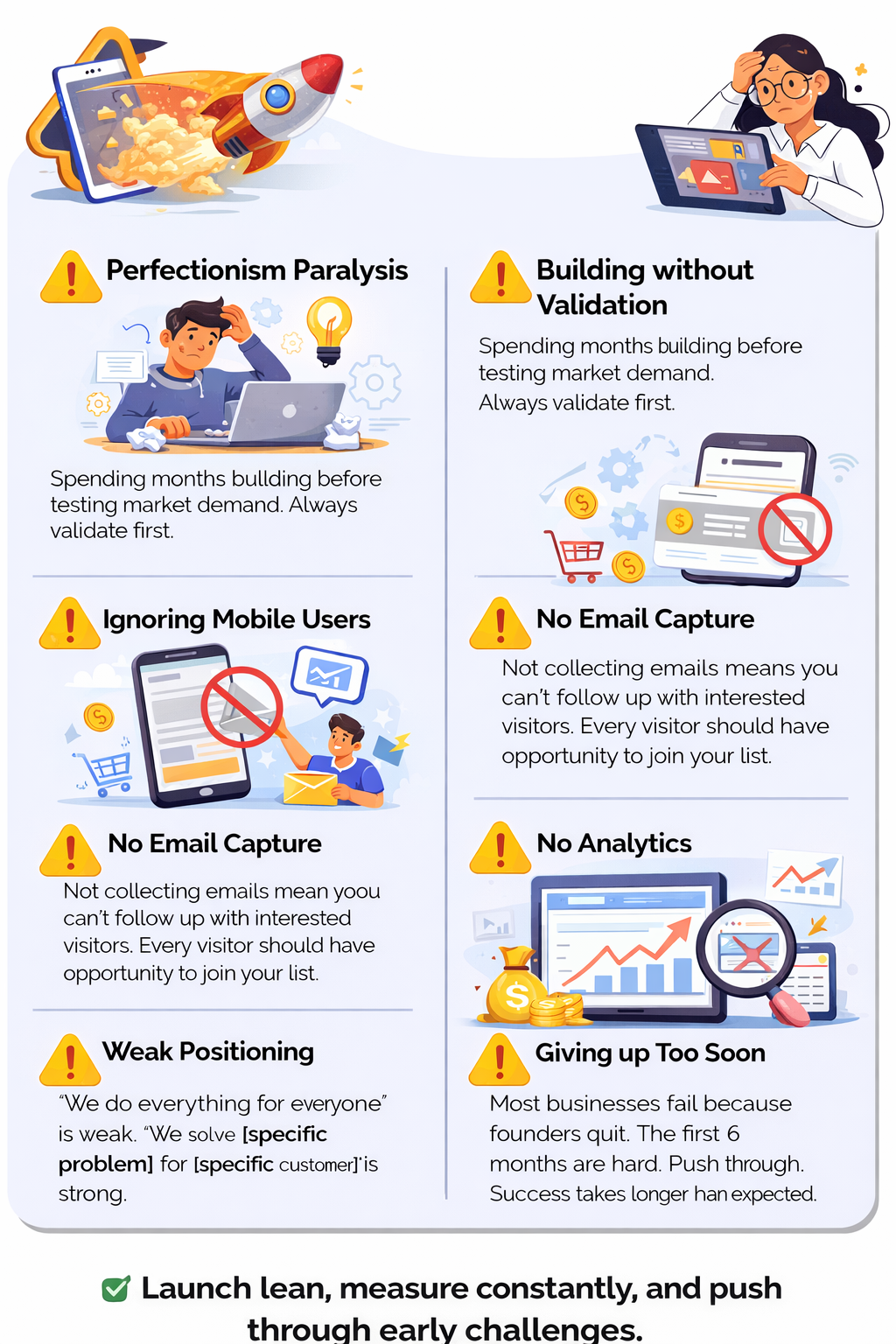
Perfectionism paralysis: Your version 1.0 will never be perfect. Launch, gather feedback, improve. Delaying for perfection means zero customers giving you money to improve.
Building without validation: Spending months building before testing market demand. Always validate first.
Ignoring mobile users: 60% of traffic is mobile. If your site isn’t mobile-optimized, you’re losing most visitors.
No email capture: Not collecting emails means you can’t follow up with interested visitors. Every visitor should have opportunity to join your list.
Weak positioning: “We do everything for everyone” is weak. “We solve [specific problem] for [specific customer]” is strong.
No analytics: Launching without tracking means flying blind. You can’t improve what you don’t measure.
Giving up too soon: Most businesses fail because founders quit. The first 6 months are hard. Push through. Success takes longer than expected.
Your 30-Day Checklist
Use this as your launch roadmap:
Foundation (Days 1-5) □ Validate idea with target customers □ Research competitors □ Choose business model □ Calculate revenue requirements □ Test demand with landing page
Brand (Days 6-10) □ Select and validate business name □ Create visual identity □ Register domain and hosting □ Set up professional email □ Document brand guidelines
Website (Days 11-15) □ Build website with essential pages □ Optimize for SEO and speed □ Ensure mobile responsiveness □ Set up analytics and tracking □ Submit sitemap to search engines
Content (Days 16-20) □ Plan content strategy □ Create first blog posts □ Set up social media profiles □ Install email marketing platform □ Build lead magnet
Sales (Days 21-25) □ Integrate payment processing □ Set up CRM system □ Create sales page □ Determine pricing □ Prepare launch offer
Launch (Days 26-30) □ Beta test with small group □ Prepare launch content □ Soft launch to personal network □ Public launch announcement □ Review data and plan iteration
The Bottom Line
You can launch a professional online business in 30 days. Not a perfect business—that takes years of iteration. But a real business that generates real revenue.
The difference between successful online entrepreneurs and those who fail isn’t talent, luck, or investment. It’s execution. Following a proven system instead of randomly trying things.
This blueprint gives you that system. Now execute it.
Day 1 starts now. Not tomorrow, not next month. Now.
Your future customers are waiting. Go serve them.