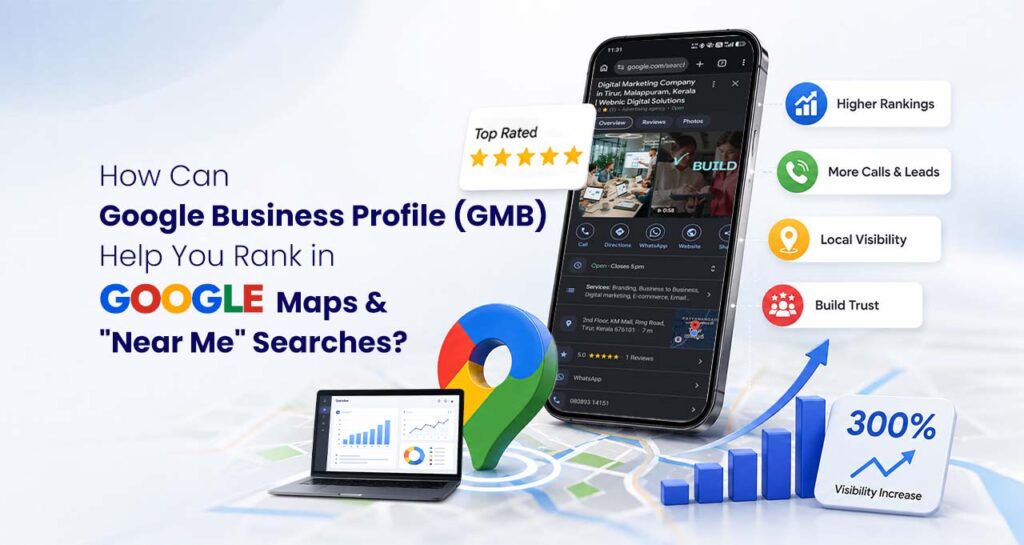
When people search for a business today, they usually type phrases like “restaurant near me,” “Best Restaurant near me,” “cargo services near me,” or “best dentist near me.” These searches often show Google Maps results before regular website listings.
If your business is not listed or optimized on Google Business Profile (formerly Google My Business or GMB), you could be missing customers who are ready to buy.
A well-optimized Google Business Profile helps your business appear in Google Maps, local search results, and “near me” searches. It also builds trust by showing your location, business hours, reviews, contact details, and more.
What Is Google Business Profile?
Google Business Profile (GBP), previously known as Google My Business (GMB), is a free business listing provided by Google.
It allows businesses to display important information directly in Google Search and Google Maps, including:
- Business name
- Address
- Phone number
- Website
- Business hours
- Photos
- Reviews
- Services
- Products
- FAQs
- Directions
Instead of searching through multiple websites, customers can quickly find everything they need in one place.
Why Is Google Business Profile Important?
Local searches continue to grow every year.
When someone searches:
- Coffee shop near me
- Logistics company near me
- Best Restaurant near me
- Car repair near me
Google tries to show businesses that are nearby, trusted, and relevant.
Google Business Profile helps Google understand:
- Where your business is located
- What services you provide
- Which areas you serve
- Whether customers trust your business
This improves your chances of appearing in local search results.
How Does Google Business Profile Help You Rank in Google Maps?
Google Maps rankings depend on several important factors.
1. Relevance
Google checks how closely your business matches the user’s search.
This is why choosing the right business category and adding detailed services is important.
2. Distance
Google also considers how close your business is to the person searching.
Even if another company has more reviews, a nearby business may appear higher for local searches.
Having an accurate business address helps Google understand your location.
3. Prominence
Prominence refers to how well-known and trustworthy your business appears.
Google looks at factors like:
- Customer reviews
- Ratings
- Website quality
- Local citations
- Business mentions online
- Profile completeness
The stronger your online presence, the better your chances of ranking.
How Google Business Profile Helps in “Near Me” Searches
“Near me” searches are based on location.
Google uses your Business Profile to decide whether your business is relevant to these searches.
An optimized profile increases your chances of appearing in:
- Google Maps
- Local Pack (Top 3 Results)
- Google Search
- Mobile searches
- Voice searches
Benefits of Google Business Profile
A Google Business Profile offers many advantages for businesses of all sizes.
Increase Local Visibility
Your business becomes easier to discover in local search results.
More visibility means more opportunities to attract nearby customers.
Build Customer Trust
People often read reviews before making a decision.
Positive ratings and genuine customer feedback help build confidence and encourage new customers to contact your business.
Get More Website Visitors
Customers can visit your website directly from your Business Profile.
This increases website traffic from people who are already interested in your services.
Receive More Calls
Your phone number appears directly on your listing.
Mobile users can call your business with a single tap.
Get More Direction Requests
Google Maps provides directions to your location.
This is especially useful for businesses with physical offices or stores.
Showcase Your Business
Photos, videos, and updates help customers learn more about your business before they visit or contact you.
Key Features of Google Business Profile
Google Business Profile includes several useful tools to help businesses connect with customers.
Business Information
Display accurate details such as:
- Business name
- Address
- Phone number
- Website
- Working hours
Keeping this information updated improves customer experience.
Services
List all the services your business offers.
This helps Google understand your business and improves keyword relevance.
Products
Businesses can showcase products with:
- Images
- Descriptions
- Prices
Customers can browse products directly from your profile.
Customer Reviews
Customers can leave ratings and reviews.
Responding to reviews shows that your business values customer feedback.
Photos and Videos
Businesses with quality images often attract more attention.
Upload photos of:
- Office
- Team
- Products
- Services
- Completed projects
Google Posts
Share updates such as:
- Offers
- Events
- News
- Promotions
- New services
Regular updates keep your profile active.
Questions and Answers
Customers can ask questions directly on your profile.
Providing clear answers helps future customers as well.
Messaging
Allow customers to contact your business directly through Google.
Quick responses improve customer satisfaction.
Insights
Google provides useful analytics including:
- Search keywords
- Website clicks
- Phone calls
- Direction requests
- Profile views
These insights help improve your local marketing strategy.
Tips to Improve Your Google Maps Ranking
Creating a profile is only the beginning. To improve rankings, keep it active and optimized.
Complete Every Section
Fill out all available information, including services, business description, contact details, and operating hours.
Choose the Right Business Category
Your primary category should clearly describe your main service.
Add relevant secondary categories where appropriate.
Use High-Quality Photos
Upload clear and professional images regularly.
Businesses with fresh photos often receive more engagement.
Collect Customer Reviews
Ask satisfied customers to leave honest reviews.
The more genuine reviews you receive, the stronger your local reputation becomes.
Respond to Reviews
Reply to both positive and negative reviews politely.
Google values active business profiles.
Publish Regular Updates
Post news, offers, achievements, or helpful tips to keep your profile fresh.
Keep Information Updated
Update business hours, phone numbers, and services whenever changes occur.
Add Relevant Services
Include all your services with simple descriptions so Google understands what your business offers.
Common Mistakes to Avoid
Many businesses create a profile but don’t optimize it properly.
Avoid these common mistakes:
- Leaving business information incomplete
- Choosing the wrong business category
- Ignoring customer reviews
- Uploading very few photos
- Using outdated contact information
- Never posting updates
- Adding misleading information
- Ignoring profile insights
Frequently Asked Questions
Is Google Business Profile free?
Yes. Google Business Profile is completely free to create and manage.
How long does it take to rank on Google Maps?
It depends on your competition, profile optimization, customer reviews, website quality, and overall local SEO efforts. Improvements can take a few weeks to several months.
Can I rank without a website?
Yes, a Google Business Profile can appear in local search results without a website. However, having a well-optimized website usually improves your visibility and credibility.
How often should I update my profile?
Update your profile whenever business information changes. It’s also a good practice to add new photos, posts, and updates regularly to keep your listing active.
Do reviews improve Google Maps rankings?
Yes. Genuine customer reviews, along with thoughtful responses, help build trust and can positively influence your local search visibility.
If your goal is to attract more local customers, increase visibility, and appear in Google Maps and “near me” searches, Google Business Profile is one of the most valuable tools you can use. A complete and well-maintained profile helps customers find your business faster, builds credibility through reviews, and improves your chances of ranking in local search results.
At Webnic Digital, we help businesses optimize their Google Business Profile, improve local visibility, and create strategies that increase visibility across Google Search, Google Maps, AI-powered search experiences, and answer engines. Whether you’re starting from scratch or looking to improve your existing profile, our team can help you build a stronger local presence and attract more qualified customers.